
Filter 'Follow-Ups' List
- You can apply filters to the ‘Follow-Ups’ list to view a subset of follow-up recommendations identified by the system by clicking the ‘Filter’ button

- The application currently supports the following filters:
- Radiologist Name
- Referrer Name
- Recommended Exam Modality (includes, or excludes)
- Recommended Exam Anatomy (includes, or excludes)
- Timeframe
- Age
- Contains Note (=navigator saved 1 or more notes)
- Message Sent (=patient received 1 or more messages)
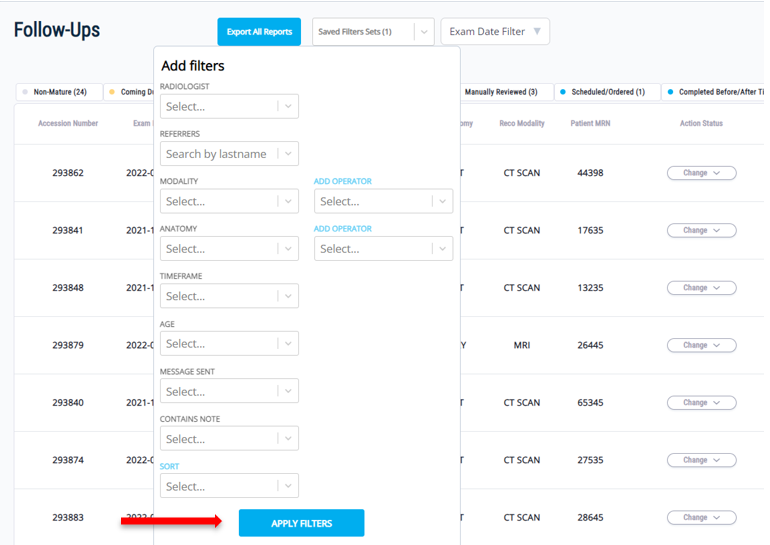
- Make sure to click the ‘Apply Filters’ button when you are done with your selection
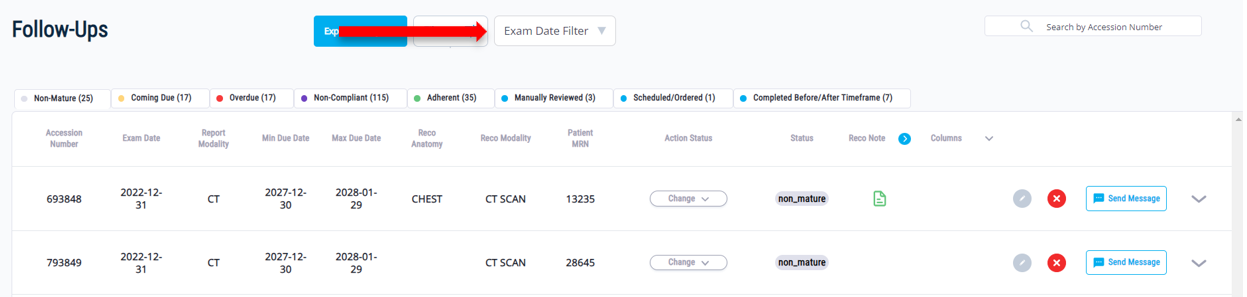
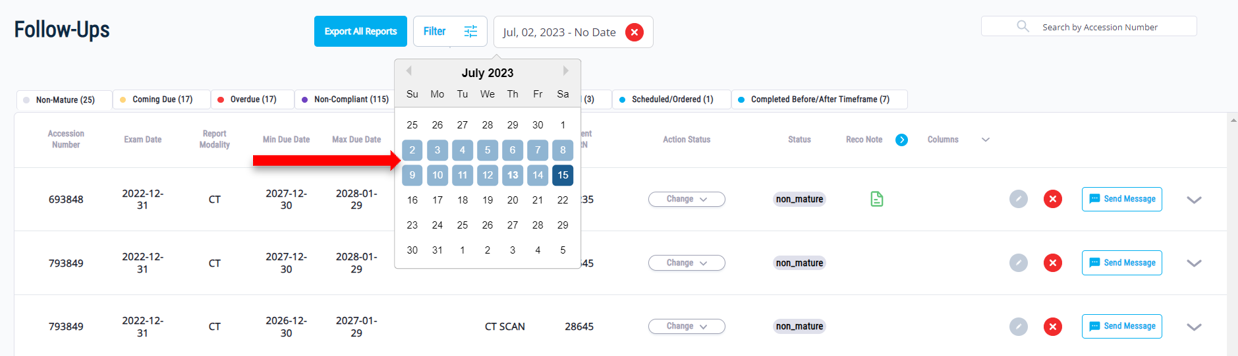
- Additionally, you can filter the ‘Follow-Ups’ list using the ‘Exam Date Filter’ to only show recommendations that were created on specific dates.
- In the example below, I am selecting all recommendations created between July 2nd and July 15th, 2023. This means that the initial radiology exam that produced the recommendation occurred between July 2nd and July 15th, 2023.
Updated 11 months ago